Short-form video testing
Test and monitor short-form video on real devices: social apps on mobile, the same feeds on Smart TVs and streaming devices, and the new vertical feeds inside streaming apps.
How it works in 3 steps

Every screen type short-form can reach
Short-form video now plays far beyond just on mobile. Witbe tests them on any type of real devices:
- Smart TVs and FAST apps (Tizen, webOS, Google TV, and more), with the Smart TV Automation
- Streaming sticks and set-top boxes, the the Witbox
- Mobile phones and tablets, iOS and Android, with the Video Mobile Automation
- Web players in the browser, with the WitboxNet
Wherever the feed shows up, it’s tested there.

Does vertical video render correctly on every screen?
9:16 video has to look right on every type of display, and every device renders it differently. Witbe checks the full picture on real devices, from compact phones to 65-inch Smart TVs, verified across aspect ratios, screen sizes, and OS versions:
- No black bars, stretched images, or cropped faces on mobile
- Correct scaling and positioning on 16:9 TV panels
- Captions stay readable, never hidden behind a notch or system bar — because most short-form is watched on mute
- Buttons and progress bars stay reachable, respecting overscan and remote focus outlines on TVs

The KPIs that decide short-form QoE
A short-form session is dozens of plays in a row, and every swipe is a new request, DRM handshake, and player start — driven by each device’s real input: a swipe on mobile, a keypress on a Smart TV. Viewers give a video two seconds to start; after that, every extra second costs another 5.8% of them (Akamai). Witbe measures the metrics for the whole session:
- Time to first video, then start time on every short after it
- Short-form counter: clips played cleanly in a row
- Rebuffering with configurable thresholds (250 ms / 500 ms by default)
- No-buffering rate across the session
- Startup, audio, and captions checked clip after clip
- VQ-ID and Video MOS for perceived quality, and on mobile, quality correlated with radio metrics (RSSI, RSRP, RSRQ, CQI)

Ads between shorts, tested as much as the content
A clumsy ad break ends a session as fast as a stall does. Witbe verifies every ad like another short: it loads, plays, and hands back to the feed, with no frozen frames or dead seconds.
The same sessions reveal what platforms don’t publish: ad load, ad frequency, and creative rotation, with each spot’s brand, industry, and call to action read straight from the screen.

From a first look to automated test coverage
Start manually, then automate:
- Take live control of any device with the Remote Eye Controller (REC) with REC AI Assist
- Build scenarios in Test Studio, describing them in plain language with the AI Test Designer
- Scale to full programmatic control with the Agentic SDK
Scenarios absorb feed redesigns: approximately 80% less test maintenance on Smart TV apps in black-box conditions (Witbe benchmark, 2026 BEIT Conference).

Proven at global short-form scale
One of the world’s largest social media companies operating short-form and vertical video at global scale runs its short-form QA and monitoring on Witbe’s platform: more than 300,000 test runs per month, in continuous production, across real mobile phones and Smart TVs.

Every result, with the video proof
Each run lands in Smartgate beside a synchronized recording of what actually played. Filter by app, device, model, OS, or network. Compare a new streaming feed against the social feeds that set the bar. Isolate the exact device behind a clipped caption or a slow start, and track quality trends release after release.
Key advantages
Every app, every screen
Social feeds and streaming-app feeds are validated on connected TVs, streaming devices, phones, and the web, so a brand-new clips feed is measured against the standard TikTok set, on day one.
Session-aware metrics
Per-short start times, a clean-clip counter, and no-buffering rate capture how a feed is really watched, where a single-startup test would miss the problem.
Proof per clip
Smartgate keeps every result beside the on-device recording, so a slow start, a clipped caption, or a dead ad break comes with the clip that shows it.
Frequently asked questions
Do we need separate setups for TV, mobile, and web, or one system?
One platform. Results from every device class land in the same place, so you manage short-form coverage as a single workflow rather than stitching tools together per screen.
How do you keep test results comparable across such different devices?
Measurement is read on each device the same way, from the screen and speaker, so a number from a TV app and a number from a phone are produced on the same basis and can be compared directly.
Can we test pre-release builds or feeds that aren’t public yet?
Yes. Internal or beta builds can be sideloaded or pre-installed on the devices, so a new feed is validated before it ships.
Does this run as one-off QA, or continuously in production?
Either. The same scenarios serve a pre-release check and round-the-clock monitoring, so you don’t rebuild anything to move from QA to live operations.
What does the AI cost look like at scale?
Continuous runs can execute fully algorithmically with no AI tokens spent, and AI is dialed in only where it earns its place, so cost stays predictable as coverage grows.
How many devices can we run at once?
From a single unit to large fleets across screens, monitored together in REC, so coverage scales with the catalogue and the number of services.
We’re a service provider, not a social platform. Is this relevant?
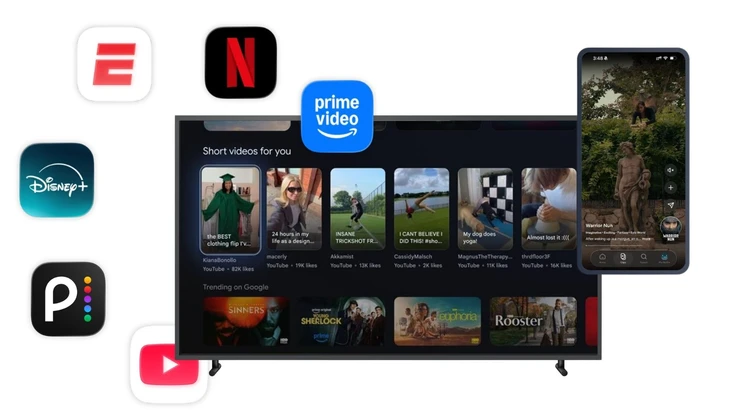
Yes. Netflix, Disney+, ESPN, and Prime Video have all added vertical feeds to their mobile apps, and any service carrying one can validate that experience the same way the big platforms do.
Who owns this day to day, QA or operations?
Both, on the same data: QA signs off builds, operations watches live feeds and gets alerted with on-screen proof when quality slips.
How do you test vertical video on horizontal screens?
On the actual hardware, recording the on-screen output. Letterbox, pillarbox, crop, and scaling decisions vary by device, OS, and player, so the rendering is validated on the same devices and configurations production uses, from a compact phone to a 65-inch Smart TV.
Can you monitor apps we don’t own, like TikTok or Instagram?
Yes. The robot runs the real app on a real device and measures from the screen and speaker, so no access to the app’s code or backend is needed, and results from a social feed and your own feed are produced on the same basis.