- AI in video testing and monitoring
- Agentic AI
Witbepedia is now available in AI assistants via MCP
By Mathieu Planche, CEO3 min read
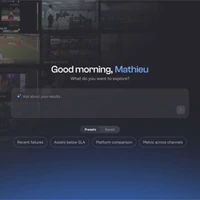
Every Witbe customer with a Witbe ID can now connect Witbe's product documentation to the AI assistant they already use and get answers in plain language, with a link to the source.
Witbepedia, Witbe's product documentation at witbe.app/pedia, is now available as an MCP (Model Context Protocol) server.
Claude, ChatGPT, Gemini, Cursor and most coding agents can connect to it and answer questions about the Witbe Galaxy from the official, up-to-date documentation, with a link to the exact page used.

Why connect Witbepedia to your AI tools
Witbepedia is Witbe's single source of truth for how its products work. Until now, users had to know where to look.
Now they ask in their own words:
"What changed in Witbe Suite 41 for Smartgate AI?",
"How do I set up an Apple TV on a Witbox?",
"Search Witbepedia for how to schedule a test set."
The assistant searches the documentation, reads the relevant pages and answers from them. If Witbepedia does not cover a topic, it says so instead of guessing.
What the Witbepedia MCP server does
- Sourced answers. Every response links back to the witbe.app/pedia pages it used, so users can verify it at the source.
- The assistant you already use. Any AI client that supports remote MCP servers can connect, from chat apps to code editors.
- The whole Galaxy, one question away. Release notes and how-to guides for Witbox, Remote Eye Controller, Test Studio, Smartgate AI, the Platform Configurator and Witbe Campus, plus the Agentic SDK development guide.
Less time searching, more time testing what viewers actually see.
Availability and setup
The Witbepedia MCP server is available today to every Witbe customer with a Witbe ID.
How to connect
- In your AI client, add a remote MCP server (often called a custom connector).
- Enter
https://witbe.app/pedia/mcp. - Set the OAuth client ID to
witbepedia-mcpand leave the secret blank. This step is required, even if your client detects a client ID or offers to register automatically. - Sign in with your Witbe ID.
In Claude, the connector is set up once for the web, desktop and mobile apps, and organization admins can enable it for their whole workspace. If the connection fails, Witbe's customer care team is available through the Help Desk.
Connection guide: witbe.app/pedia/galaxy/witbepedia-mcp
Frequently asked questions
Who can use the Witbepedia MCP server?
Any Witbe customer with a Witbe ID.
Which AI tools work with it?
Any client that supports remote MCP servers, including Claude, ChatGPT, Gemini, Cursor and most coding agents.
Why does sign-in say "Client disabled"?
The client ID was not set manually. Edit the connector's OAuth client ID to witbepedia-mcp and connect again.