- Smart TV automation
- Video service monitoring
Testing vertical video on connected TV
By Christophe Vié, Enterprise Account Executive, US West Coast5 min read
Vertical video on connected TV is short-form content, shot 9:16 for a phone, playing on a 16:9 screen it was never designed for. The TV has to pillarbox it, crop it, or scale it, and the result depends on the device, the operating system, the player, and the encoding. When that rendering goes wrong, every viewer on that device sees it, and no network dashboard reports it.
Vertical video used to be the one thing you could count on staying on a phone. That assumption is loosening.
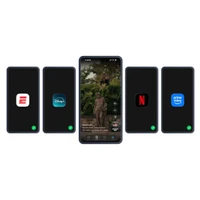
It isn't the big streaming feeds driving it, Netflix Clips, Disney+ Verts, and ESPN Verts are still mobile-only at launch. Vertical is reaching the television through a different door:
- YouTube Shorts on the home screen. Google TV now surfaces vertical Shorts directly on the home screen, beside films and live channels: no app launch required.
- Social apps on the big screen. TikTok and Instagram apps have been reworked to fill smart-TV displays rather than sit in a small central window.
- Vertical-capable hardware. Samsung's rotating Sero and Tizen Portrait Mode are built around upright content, and other manufacturers are adding vertical layouts to their interfaces.
The streamers have signaled their own feeds will follow onto connected TV in time. Whichever path puts it there, the underlying situation is the same: 9:16 content on a 16:9 screen is a rendering decision, and a quality question.

What actually happens when vertical content hits a horizontal screen?
There is no single, correct way to put a 9:16 clip on a 16:9 panel. Each device makes a choice:
- Pillarbox: show the clip at full height with bars on either side.
- Crop or scale: zoom or trim to fill the frame, losing edges of the content.
- Reframe: track the subject of the shot and keep it in view as the frame changes.
Every one of these is decided by a specific combination of player, OS version, device firmware, and content profile. Get it wrong and the failure is immediate and visible: a face cut off, a caption pushed off-frame, a logo stretched, a subject drifting out of view.
(The reverse problem exists too. Disney's AI pan-and-scan, which reframes its 16:9 catalog *into* vertical for the mobile Verts feed, is the same class of automated reframing, and the same kind of thing that can quietly land the focal point in the wrong place.)
Why doesn't traditional monitoring catch this?
Because the failure never touches the signals traditional monitoring watches.
Network and CDN monitoring sees delivery, not display. The bytes can arrive perfectly while the device renders them in the wrong shape. The dashboard stays green.
Aggregate metrics smooth out device-specific faults. Average video-start time across millions of sessions can look healthy while one smart-TV firmware crops vertical content incorrectly for every viewer on that model, a fault that is total for the affected audience and invisible in the average.
Player telemetry reports what the player believes happened. It confirms that playback started and frames were delivered. It cannot see that the subject drifted out of frame or that the caption rendered behind a pillarbox bar. Only an eye on the screen can.
This is the recurring pattern in video quality: the system reports success while the viewer sees something wrong.
How do you actually test vertical video on connected TV?
The only reliable method is to measure what reaches the screen, on the real device, the way a viewer would see it.
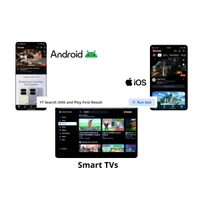
Test on the real device matrix, not in simulation. Rendering behavior is a property of the actual hardware and OS, Samsung, TCL, Fire TV, Google TV Streamer, the various streaming sticks. Emulators don't reproduce the rendering pipeline a real smart TV uses, so they can't confirm how a vertical clip will look on it.
Capture visual proof. Frame-accurate, timestamped video of the actual output is what lets a QoE team state with confidence whether the vertical clip rendered correctly, the right aspect handling, the subject in view, the caption in frame.
Validate any reframing, not just playback. When a device or service reframes vertical content, the question isn't only "did it play?" but "did it keep the right thing on screen the whole way through?" That has to be checked visually, across scenes and devices.
Cover the first-time-on-device case. New firmware and new app versions are where rendering regressions appear first. Each one deserves its own validation pass.
The principle is simple to state and hard to fake: if a viewer can see it, your monitoring has to see it too.

Where this fits
Vertical-on-TV is one face of a larger shift, short-form video moving toward every screen viewers use. For the landscape and where the streamers' feeds stand today, see vertical video is now a standard streaming feature. For the metrics that decide whether these experiences hold up, see the KPIs that define short-form QoE. And for the complete primer, start with monitoring short-form and vertical video across devices.
Frequently asked questions
Is vertical video available on smart TVs?
Yes, increasingly, though not yet through the big streaming feeds. Vertical content reaches TVs today via YouTube Shorts on the Google TV home screen, TikTok and Instagram apps reworked for the big screen, and vertical-capable hardware like Samsung's Sero. The major streaming vertical feeds (Netflix Clips, Disney+ Verts, ESPN Verts) remain mobile-only at launch.
How does vertical video render on a horizontal screen?
The device pillarboxes, crops, or scales the 9:16 content to fit a 16:9 panel, and in some cases reframes it. The choice varies by device, OS, player, and content, which is why rendering has to be verified per device rather than assumed.
Why doesn't network monitoring catch vertical rendering problems?
Network and CDN monitoring measures delivery, not display. Vertical rendering faults happen on the device, after delivery, and are visible only on screen, so they don't appear in network telemetry.
Can vertical video be tested on smart TVs and streaming sticks?
Yes. Real-device testing validates vertical playback on smart TVs (Samsung, TCL, Fire TV), streaming devices (Google TV Streamer, Fire Stick, ONN 4K), and set-top boxes, recording the on-screen output frame-by-frame to confirm it renders correctly on each one.